
Animation Engine
Scroll Progress
A site-wide reading-progress indicator with 16 styles — bars, rings, gauges, a battery, a live percentage and section dots — that fills as the visitor scrolls.
Live demo
See it in action
One switch, 16 styles
Show how far down the page you are.
Scroll Progress is a single site-wide setting — enable it in Unyson+ → Extensions → Animation Engine → Scroll Progress and pick one of the styles below. It’s transform-only (no layout thrash) and hides at the top until you scroll.
Bars
Along the top (or bottom) edge
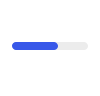
Bar

Gradient bar

Glow edge

Segments

Pill

% label bar

Under-nav bar
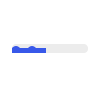
Liquid bar
Rings, gauges & counters
Floating in a corner
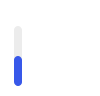
Side edge

Ring
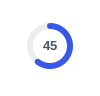
Ring + %

Gauge

Battery

% Counter

Time left
Section dots
How to set it up
Add it in under a minute
- Open Unyson+ → Extensions → Animation Engine → Scroll Progress.
- Turn Enable scroll progress on.
- Pick a Style from the 16 above and set its colour / position.
- Save — it appears site-wide and fills as visitors scroll.