
Animation Engine
Horizontal Scroll Section
Pin a Section and move its cards sideways as the visitor scrolls down — a gallery / timeline strip, in 15 styles (standard, snap, parallax, coverflow, 3D carousel, velocity-skew and a free drag-through). Section-level; the panels are its columns.
Live demo
See it in action
Scroll down, move sideways
A strip that scrolls across.
The Section below pins while its panels translate horizontally as you scroll down — the classic gallery / timeline pattern. Build it as one Section with several columns as the panels. Scroll down to move it across.

Panel one
Scroll down and the strip slides left.

Panel two
Each column becomes a horizontal panel.

Panel three
Set the panel width — 60, 80 or 100% of the viewport.

Panel four
Fifteen styles, from a clean track to a 3D coverflow.

Panel five
Sticky pin + one passive scroll listener. No library.
15 horizontal styles
From a clean track to coverflow, carousel & drag

Standard

Reverse

Snap

Parallax

Fade

Coverflow

Blur

Grow

Arc

Wave

Zigzag

3D Rotate

Wall

Skew
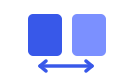
Drag
How to set it up
Add it in under a minute
- Build one Section with 2+ columns — each column is a panel.
- Open the Section → Animations → Horizontal Scroll.
- Pick a style, panel width and intensity.
- Save and scroll down — the panels move across.